Projects |

Holos

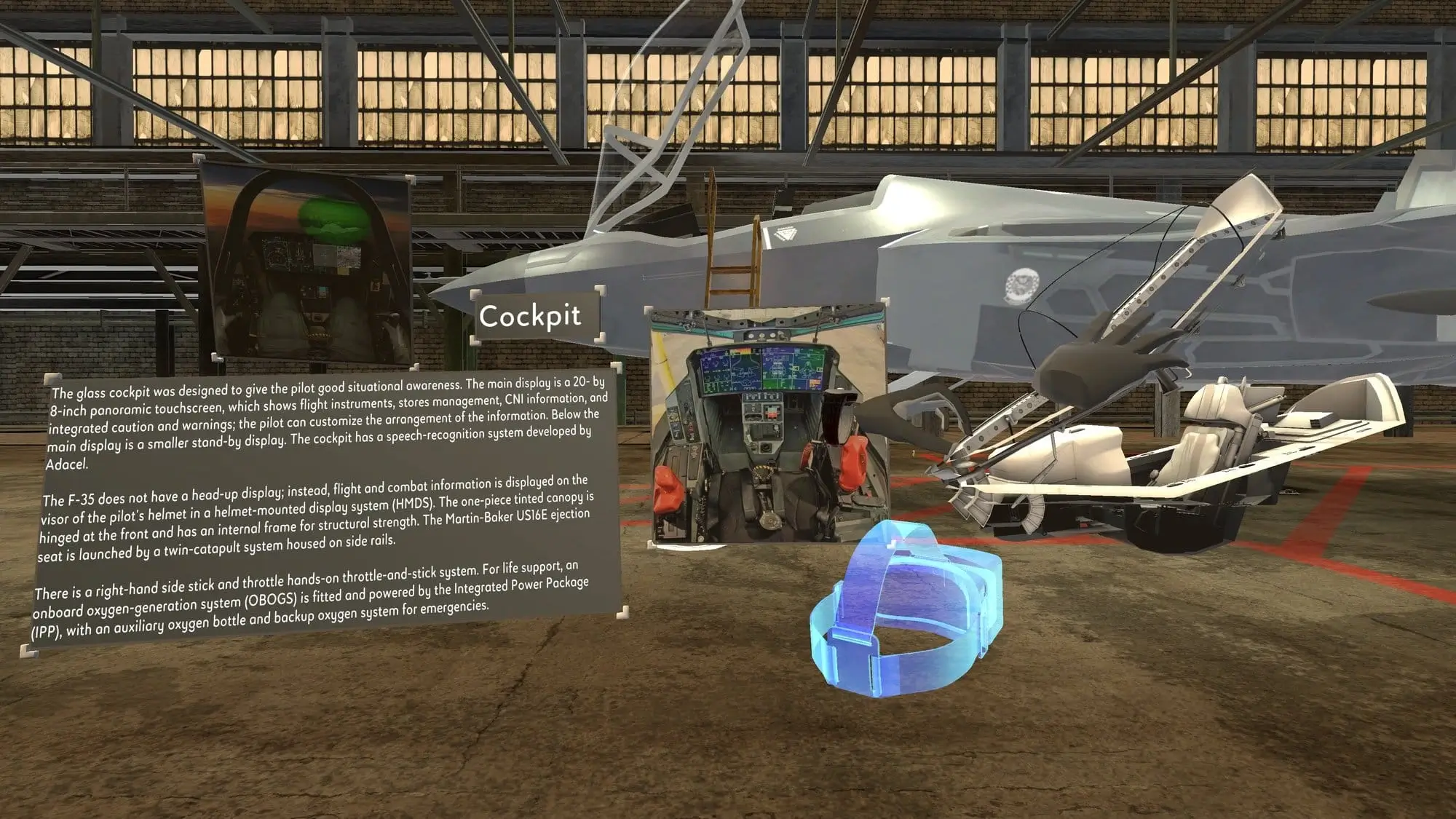
Built interaction, networking, and content-pipeline foundations for Holos’s AR/VR training platform.

Holos

Holos is a Madison, Wisconsin-based immersive training company focused on preserving physical expertise and turning real workflows into interactive spatial training. Its current public platform is organized around Holos Capture, which records expert demonstrations on Apple Vision Pro into reusable 3D skill libraries, and Holos Learn, a visionOS app for building and deploying immersive courses without traditional game-engine authoring.

Problem

The hardest parts of technical training often live in a worker’s hands: how a maintainer approaches a component, where an instructor points during a warning, what sequence of small physical decisions makes a procedure safe. Manuals and slide decks flatten that knowledge, while custom VR training has historically required long production cycles and outside developers.

Holos’s product bet was that immersive training should be authored close to the people who understand the work. That meant the platform could not behave like a one-off demo. It needed stable shared sessions, predictable hand input, believable object manipulation, and a 3D content pipeline that made customer assets usable inside training simulations without constant engineering support.

What I Built

  • Networked AR/VR training runtime. Built and shipped core pieces of the shared simulation layer, including multiplayer networking for instructor-trainee sessions and synchronized virtual object state across connected headsets.
  • Hand interaction and gesture recognition. Developed hand-tracking interactions with integrated gesture recognition, letting users grab, place, rotate, and operate virtual objects in ways that matched the physical procedures being taught.
  • Physics-backed object manipulation. Implemented simulated physics and object constraints so training props behaved consistently when picked up, assembled, handed off, or moved through a procedure.
  • 3D-model processing pipeline. Worked on import and preparation workflows for customer 3D models, including the practical cleanup needed for scale, pivots, colliders, and runtime interaction.
  • Content management workflows. Helped connect the authoring side of the product to the simulation runtime, so training content could be assembled, tested, revised, and deployed without treating every scenario as a custom app.

Product And Design Work

I moved between prototype design, implementation, user testing, and feature deployment. That loop mattered because a training platform only works when the interaction model survives contact with real instructors and trainees.

  • Designed prototypes for new training interactions, then tested and shipped the strongest versions into the platform.
  • Used observations from user testing to simplify interaction affordances, adjust gesture thresholds, improve object handling, and shape product direction around what people actually understood in-headset.
  • Identified failure points across input, networking, 3D assets, and UX flows, then turned those into actionable fixes instead of isolated bug patches.
  • Collaborated with engineering, design, leadership, and customer-facing teammates to deliver features against product and partner deadlines.

Engineering Decisions

  • Make imported assets behave like product features. A training scene is only as reliable as its weakest model, so model processing had to account for collision, origin placement, scale, and interaction metadata up front.
  • Treat shared manipulation as a first-class networking problem. When two people look at the same virtual component, ownership handoffs and object state need to resolve clearly; otherwise the lesson becomes about fighting the software.
  • Design hand tracking around confidence, not novelty. Gesture recognition was useful only when it made the trainee feel more capable. The interaction layer prioritized clear feedback, recoverable mistakes, and procedural legibility over flashy input tricks.
  • Keep authoring close to iteration. Training procedures change, so the product needed a path for quick updates, testing, and redeployment rather than a slow custom-development cycle.

Impact

  • Helped move Holos from prototype-level XR experiences toward a reusable platform for networked immersive training.
  • Shipped interaction, physics, networking, and asset-pipeline features that supported enterprise and government training use cases.
  • Built the kind of XR infrastructure that still shows up in Holos’s public product direction: capturing expert workflows, making spatial content editable, and turning procedural knowledge into reusable immersive lessons.
  • Strengthened my judgment around applied XR products, especially the gap between an impressive headset demo and a dependable training tool that real organizations can maintain.

Holos taught me to think about immersive technology as operational software. The headset is the visible part, but the hard product work is underneath: asset readiness, shared state, input reliability, iteration speed, and the quiet design details that let subject-matter experts teach without becoming developers.


© made with ❤️ by Jack